
By John Burroughs August 14, 2026
A payment terminal can be unpacked, powered on, and connected in minutes. A successful installation, however, begins much earlier. Many first-week failures originate in merchant boarding, device assignment, feature configuration, or settlement setup before the terminal ever reaches the counter.
A successful payment-terminal installation depends on matching the approved merchant boarding record, MID/TID configuration, terminal profile, device model, payment application, connectivity method, and settlement settings before live transactions begin.
That principle should guide every payment agent installation checklist. When the merchant record, terminal record, hardware, and processing configuration agree with one another, installation becomes a controlled verification exercise instead of a troubleshooting session.
The challenge is that there is no universal terminal deployment workflow. Terminology and procedures vary among processors, acquirers, gateways, terminal manufacturers, terminal-management systems, independent sales organizations, and payment applications.
A TID may be created automatically in one environment and assigned through a deployment portal in another. A terminal download may be initiated remotely in one platform and performed through an approved setup workflow in another.
For that reason, this guide focuses on the controls that remain useful across payment environments without supplying proprietary credentials, hidden menus, encryption procedures, processor host information, activation codes, or security-bypass instructions.
Agents should always perform provisioning, application loading, remote configuration, cryptographic initialization, key injection, and activation through the authorized processor, acquirer, terminal manufacturer, terminal-management system, or approved service provider.
What Is a Payment Agent Installation Checklist?
A payment agent installation checklist is a repeatable quality-control process used to confirm that the merchant, processing account, terminal configuration, hardware, network connection, transaction features, and settlement workflow are ready before the device enters normal use.
The purpose is not merely to make sure the terminal turns on. A device can boot successfully while still being assigned to the wrong merchant profile, configured for the wrong location, missing required tip functionality, unable to settle correctly, or reporting transactions under an unexpected terminal record.
A useful payment terminal first install checklist normally covers ten stages:
- Pre-installation verification.
- Merchant boarding.
- Device and serial-number assignment.
- MID and TID validation.
- Authorized terminal provisioning.
- Connectivity verification.
- Payment-feature testing.
- Settlement and reporting validation.
- Merchant training.
- Installation documentation and post-install QA.
The process should have clear ownership. An onboarding team may verify the merchant boarding file, a deployment team may assign hardware, an approved provisioning system may deliver the terminal profile, and an installer may complete controlled transaction testing.
Support teams should then be able to see what was installed, how it was configured, and which tests passed.
This structure matters because merchant approval and hardware readiness are different things. A merchant may be fully approved while its device profile remains incomplete. Conversely, a terminal can be correctly staged but still be linked to an unfinished or incorrect merchant record.
Agents supporting unfamiliar equipment should also confirm that the selected hardware fits the merchant’s environment. A useful overview of card-machine and POS form factors illustrates why connectivity, portability, payment methods, and operating environment should be considered before deployment.
What Should Be Completed Before the First Install?
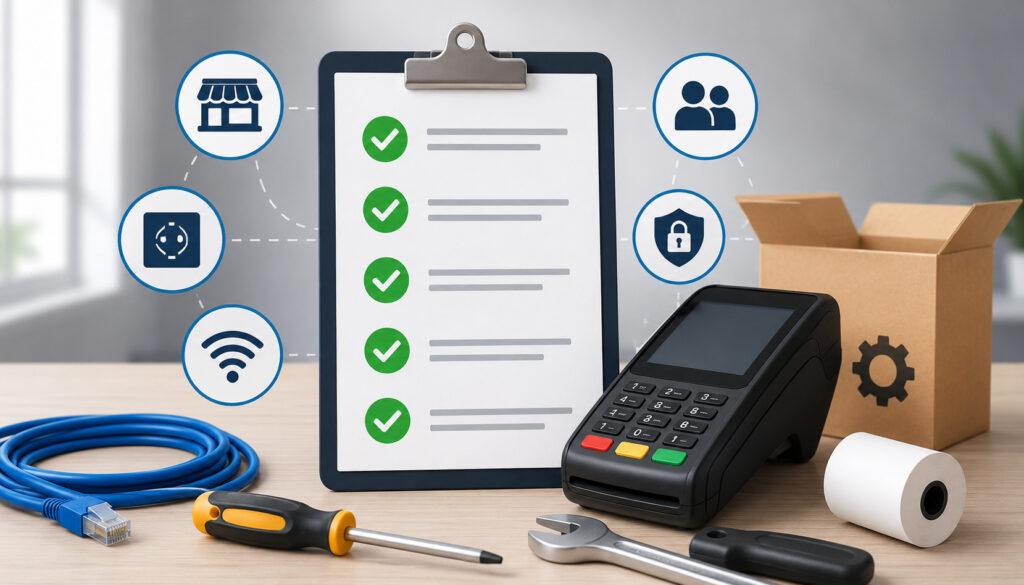
The best time to discover a boarding problem is before the terminal ships. A pre-install review should answer a simple question: Is every element required to identify, provision, connect, transact, report, and settle the terminal already approved or known?
Merchant approval should be complete according to the provider’s process. Approval is distinct from simply submitting an application; underwriting and account activation determine whether the processing relationship is ready for use.
This separation between merchant approval and payment equipment is important because buying or configuring a terminal does not itself establish an approved merchant processing account. A deeper explanation appears in this merchant account approval guide.
Before installation, verify:
- Merchant approval or activation is complete.
- The merchant boarding record has been created correctly.
- The MID has been created or confirmed.
- The correct location or terminal profile exists.
- A TID has been assigned where the processing environment uses one.
- The intended physical terminal is associated with the correct deployment.
- The terminal model is supported for the selected processing platform.
- The approved payment application or software profile is known.
- Ethernet, Wi-Fi, cellular, or another supported connectivity method is available.
- Required transaction types are known.
- EMV chip acceptance is configured where applicable.
- Contactless acceptance is configured where applicable.
- PIN debit requirements are identified where supported.
- Tip requirements and workflow are documented.
- Refund and void permissions are understood.
- Receipt requirements are documented.
- Automatic or manual settlement expectations are confirmed.
- Reporting access and location mapping are understood.
Do not substitute assumptions for missing values. If the installation worksheet says “standard restaurant setup,” determine what that means in the actual processor profile. Does it require tip prompting? Tip adjustment? Suggested percentages? Server identifiers? Automatic batch close? Customer-facing receipts?
The agent should also confirm that the merchant understands the practical difference between account approval, terminal activation, application provisioning, and first settlement. Each may occur at a different stage.
Merchant Boarding Files Explained
A merchant boarding file is the collection of records and configuration data used to establish a merchant within a payment-processing environment. The term “file” is convenient, but it should not be interpreted literally in every system.
Some providers use a merchant boarding portal. Others use APIs, acquirer systems, processor databases, gateway records, underwriting platforms, terminal-management systems, or combinations of those systems.
The important concept is the boarding record: the authoritative processing configuration that says who the merchant is and how the merchant is approved to process transactions.
A merchant boarding record may contain:
- Legal business identity.
- DBA or trading name.
- Business and processing location.
- Merchant category information.
- Ownership or account references.
- Settlement bank relationship.
- MID.
- Processing platform or acquiring relationship.
- Approved transaction channels.
- Device requirements.
- Terminal or location identifiers.
- Gateway configuration where applicable.
- Accepted transaction types.
- Risk or processing parameters.
- Settlement configuration.
- Receipt and descriptor information.
- Location-specific attributes.
The payment agent should not assume that every field flows automatically into the terminal. A merchant profile in the processor’s system, a terminal profile in a terminal-management platform, and the configuration ultimately loaded onto the payment device may be related but separate records.
This is also where gateway terminology can create confusion. A gateway and a processor perform different functions, especially when a merchant uses integrated software or ecommerce services alongside in-person terminals. This payment gateway versus payment processor guide provides useful background on those roles.
Merchant Boarding Checklist
The boarding review should be performed against an authoritative source, not copied from an old terminal, handwritten note, or previous location unless the provider has explicitly approved that workflow.
| Boarding Item | What to Verify | Common Mistake |
| DBA/business name | Correct approved display and merchant identity | Old DBA or another location’s name |
| Merchant location | Exact operating location assigned to device | Terminal mapped to sister location |
| MID | Matches approved processing relationship | MID copied from previous merchant/device |
| TID | Assigned and associated correctly where applicable | Duplicate, wrong, or unapproved TID |
| MCC/business type | Matches approved merchant record | Incorrect business classification carried forward |
| Terminal model | Supported model and correct hardware variant | Shipping incompatible equipment |
| Payment application | Correct authorized application/profile | Wrong platform or deployment package |
| Connectivity | Supported connection available at site | Assuming Wi-Fi or cellular will work |
| Tip configuration | Correct workflow for merchant | Feature enabled but wrong prompt/adjustment method |
| Settlement profile | Expected automatic/manual behavior | Merchant expects close that is not configured |
A second-person review is valuable for first installations, multi-location merchants, equipment replacements, and migrations. The reviewer should validate identifiers from the processor or approved deployment system instead of confirming that two copies of the same potentially incorrect worksheet match.
MID vs. TID vs. Serial Number
MID, TID, and serial number are frequently placed beside one another on deployment worksheets, which makes them easy to confuse. They identify different things.
A useful mental model is:
MID = merchant processing relationship.
TID = terminal or logical terminal identity within a processing environment.
Serial number = physical device identity.
These definitions are deliberately high level because exact structures and naming conventions depend on the processor, acquirer, gateway, terminal platform, and application. There is no responsible universal rule for the length, format, or composition of an MID or TID.
Merchant ID
A Merchant ID, commonly abbreviated MID, is an identifier associated with a merchant’s processing relationship in a particular payment environment. It helps the processor or acquirer associate transactions and processing activity with the appropriate merchant account or merchant hierarchy.
An MID is not a terminal serial number, and an installer should not infer the MID from hardware labeling. A multi-location merchant may have account structures that vary by provider, including separate merchant records for different locations or processing arrangements.
During installation, verify the MID against the authorized boarding or processor record. The question is not simply, “Does this look like the merchant’s number?” The question is, “Is this the approved merchant identifier for this location, processing relationship, and deployment?”
Never invent an MID format or assume that a value used by one processor follows another provider’s conventions. A deployment ticket should identify the authoritative system from which the MID was validated.
Terminal ID
A Terminal ID, or TID, identifies a terminal or logical terminal configuration within a processing environment. Depending on the platform, it may relate to a physical device, logical terminal profile, store lane, processing endpoint, or another processor-defined terminal entity.
One merchant can have multiple TIDs. A multi-lane retailer, restaurant with several terminals, or merchant with fixed and mobile devices may require separate terminal records even when those devices belong to the same broader merchant relationship.
The critical installation control is the mapping among merchant, location, TID, terminal profile, and device. A TID that is technically valid but assigned to the wrong location can still produce operational failures, such as incorrect reporting or receipt information.
Agents should never create, duplicate, guess, or casually copy a TID unless the processor’s authorized workflow explicitly calls for that action. TID assignment is part of controlled merchant and device configuration.
Device Serial Number
The serial number identifies the physical hardware unit. It normally comes from the manufacturer and distinguishes one device from another of the same model.
A serial number does not replace a TID. The serial number answers, “Which physical terminal is this?” The TID answers, “Which terminal identity or logical processing record is this device using?” The MID answers, “Which merchant processing relationship is involved?”
This distinction becomes especially important during replacements. A failed terminal may be exchanged for another physical unit. The serial number changes, while the intended merchant relationship and logical configuration may remain associated with the same location according to the processor’s authorized replacement procedure.
Before provisioning, compare the physical serial number with the deployment record. If the numbers do not match, stop and determine whether the wrong unit was shipped, the record was not updated, or an approved substitution occurred.
How the TID Assignment Process Works
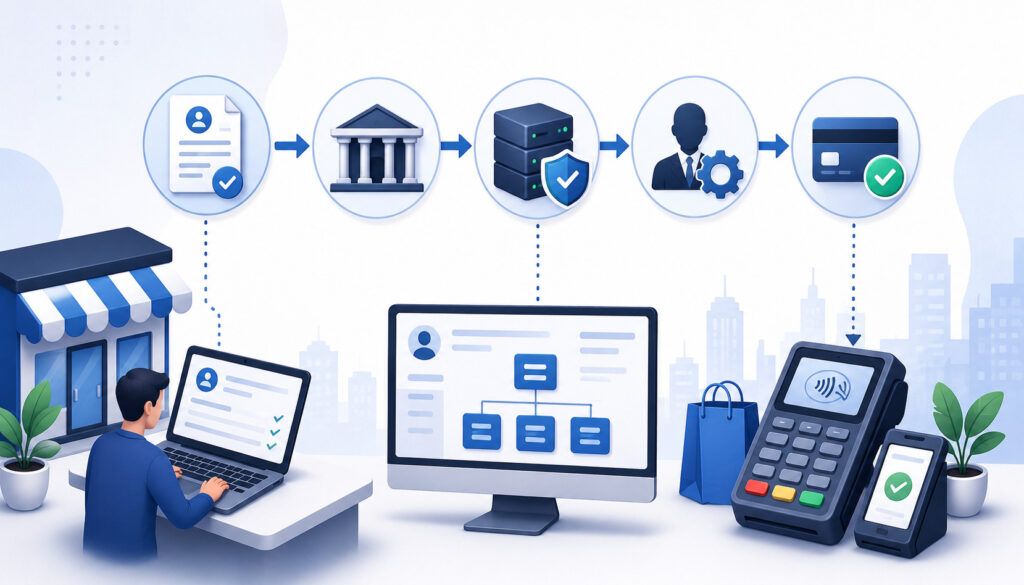
The TID assignment process connects an approved merchant environment with a terminal identity that the processor or related platform recognizes. Exact procedures vary, but a typical high-level sequence looks like this:
- The merchant is approved for processing.
- The merchant record is boarded.
- The appropriate location or terminal profile is created.
- The processor, acquirer, gateway, or authorized deployment platform assigns or provisions the terminal identifier.
- The TID is associated with the correct merchant, location, and processing profile.
- The approved terminal application and configuration are delivered through the authorized provisioning process.
- Controlled transactions verify routing, reporting, and settlement behavior.
A TID should therefore be treated as part of a chain of relationships rather than an isolated number.
The installer should validate four questions:
- Does this TID belong to the intended merchant?
- Does it belong to the intended location or lane?
- Is the intended device or deployment profile associated with it?
- Do reporting and processor records show the expected terminal identity after testing?
Never assume that because a TID allows a transaction to authorize, it is correct. A transaction could potentially reach the host while being attributed to an unintended reporting entity or terminal configuration.
Merchant Boarding vs. Terminal Provisioning
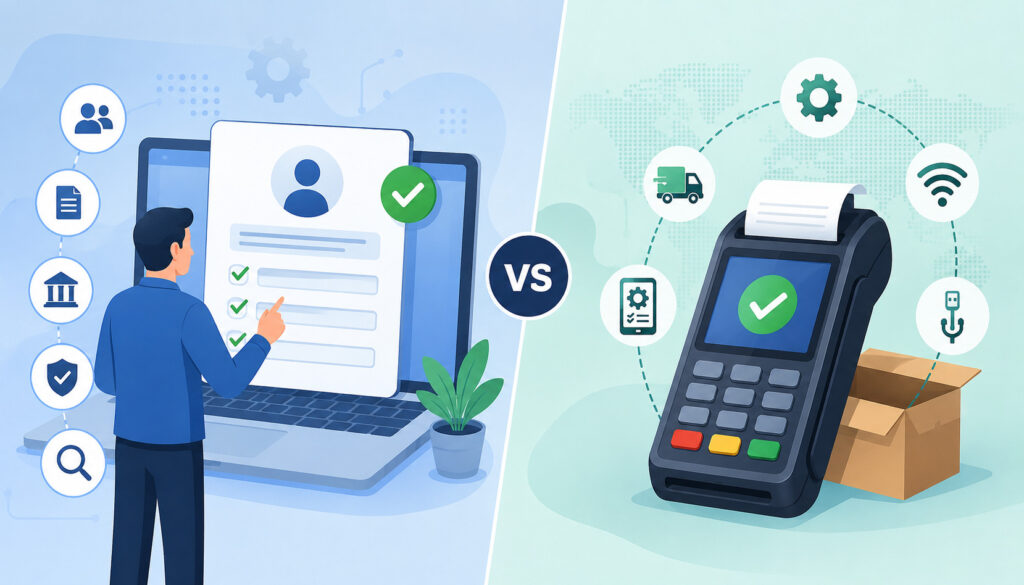
Merchant boarding and terminal provisioning are related, but they are not interchangeable.
Boarding establishes the merchant relationship and processing configuration.
Provisioning delivers the approved application and terminal parameters to the physical or logical payment device.
Boarding answers questions such as who the merchant is, what processing relationship exists, which location is involved, and which processing capabilities are authorized. Provisioning prepares the payment device to operate according to the approved configuration.
A terminal provisioning process may involve:
- Identifying the approved device.
- Associating the device with a deployment record.
- Loading or confirming the authorized payment application.
- Applying the merchant or terminal profile.
- Applying approved network and communication parameters.
- Enabling authorized transaction functions.
- Applying receipt configuration.
- Applying tip settings.
- Applying settlement behavior.
- Synchronizing settings through a terminal-management system.
Provisioning should occur only through approved systems and support channels. Agents should not use undocumented activation methods, shared service credentials, copied administrative passwords, unofficial terminal download codes, or instructions intended to bypass the provider’s security controls.
The same restriction applies to cryptographic initialization and key injection. PIN acceptance and other protected payment functions depend on controlled security processes.
PCI SSC maintains security standards and approval programs for payment acceptance devices, including Point-of-Interaction equipment. The installer should verify that the deployment follows the provider’s authorized process rather than trying to reproduce cryptographic procedures in the field.
This separation also improves troubleshooting. If the merchant is boarded correctly but the device cannot obtain its application/profile, investigate provisioning and connectivity. If the terminal downloads successfully but identifies the wrong merchant, investigate merchant/profile mapping.
Pre-Install Hardware and Connectivity Checklist
Terminal configuration cannot compensate for incorrect or unsuitable hardware. Before first power-on, compare the device in hand with the deployment record.
Verify:
- Exact terminal model and approved hardware variant.
- Serial number.
- Power supply supplied or approved for the terminal.
- Ethernet cable where required.
- Wi-Fi capability where expected.
- Cellular capability and approved service status where expected.
- Receipt-paper size and supply.
- External PIN pad or other approved accessories where required.
- Cable condition.
- Physical enclosure condition.
- Obvious tamper indicators or unexplained alterations.
- Appropriate installation environment.
If the terminal appears damaged, altered, opened unexpectedly, or inconsistent with the expected equipment, do not continue simply to meet an installation deadline. Follow the provider’s inspection, replacement, or escalation process.
Payment-terminal security standards address resistance to physical and logical attack, which is one reason physical inspection belongs in installation QA. PCI SSC describes its PCI DSS program as a baseline of technical and operational requirements for protecting payment account data, while its PTS programs address payment devices and related security controls.
Ethernet, Wi-Fi, and Cellular Connectivity
For Ethernet, confirm that the merchant has an available, functioning network connection and that the site’s network team has accounted for the approved deployment requirements.
Do not invent processor host addresses, ports, DNS values, firewall exceptions, or static IP configurations. Use documentation supplied for the actual processor, terminal application, and environment.
For Wi-Fi, confirm that the intended network is available where the terminal will operate. A configuration test performed beside an access point is not enough for a restaurant terminal that will travel to a patio or a mobile POS device used throughout a large store.
For cellular, confirm that the model supports the intended service, the approved service is active, and usable coverage exists at the merchant’s normal operating locations. A device showing signal bars does not by itself prove that the payment application can communicate successfully.
For mobile merchants, test where payments will actually occur. Caterers, event vendors, field-service businesses, and pop-up merchants may use multiple venues, so connectivity may be a deployment requirement rather than a one-time installation check.
The Three Config Errors Behind Week-One Support Calls
Many early support tickets appear unrelated at first: a merchant name is wrong, the batch is missing, tips do not appear, one terminal reports to the wrong store, contactless fails, or a replacement device repeatedly asks for setup.
A productive troubleshooting approach groups these symptoms into three broad configuration categories: identity/profile mismatch, incomplete provisioning or connectivity, and incorrect transaction/settlement parameters. These categories do not explain every terminal problem, but they give support teams a faster starting point than random menu changes.
Config Error #1: Wrong Merchant, Location, MID, TID, or Terminal Profile
The most serious configuration mistake is an identity mismatch. The physical terminal may be correct while the logical profile belongs to another merchant, another store, another lane, a previous deployment, or an incomplete duplicate record.
Common causes include:
- Device assigned to the wrong merchant.
- Correct merchant but wrong store/location.
- Old terminal profile retained during replacement.
- Duplicate terminal record.
- Incorrect TID mapping.
- Incorrect MID/TID association.
- Serial number assigned to the wrong deployment.
- Migration record linked to an old processing environment.
Symptoms may include the wrong DBA on a receipt, transactions reporting to another location, unexpected settlement grouping, activation failure, configuration-download rejection, or inconsistent terminal reporting.
Do not repair these problems by guessing identifiers. Compare the terminal’s displayed merchant/location information with the authoritative processor or deployment record. Then verify MID, TID, terminal profile, and serial-number relationships through authorized tools.
A successful authorization is useful evidence, but it is not proof of correct mapping. Review the resulting transaction in processor reporting and confirm the merchant, location, terminal, amount, and transaction time.
Config Error #2: Incomplete Download, Provisioning, or Connectivity Setup
A terminal can be physically healthy but operationally incomplete. It may have reached part of the provisioning process without receiving the correct application, communication profile, merchant parameters, or final deployment assignment.
Possible causes include:
- Provisioning interrupted before completion.
- Terminal associated with the wrong deployment package.
- Network unavailable during configuration.
- Unstable Wi-Fi.
- Inactive or weak cellular service.
- Incorrect approved communication profile.
- Pending terminal-management assignment.
- Application/profile synchronization not completed.
Symptoms can include host communication failures, repeated configuration prompts, missing payment applications, partial feature sets, or a device that repeatedly returns to an activation state.
Troubleshooting should remain controlled. Confirm power and connectivity, capture the exact error message, compare the serial number and profile assignment, and check the provisioning status in authorized systems. Do not respond to a download failure by experimenting with undocumented administrative menus or copying credentials from another device.
If a terminal communicates normally at one location but not another, investigate local connectivity. If several devices fail immediately after receiving the same profile, investigate the deployment configuration.
Config Error #3: Incorrect Transaction, Tip, or Settlement Parameters
The third category often survives installation day because basic sales still work. Problems appear only when employees perform their first refund, a customer tries contactless, staff close the first batch, or restaurant employees attempt their normal tip workflow.
Examples include:
- Tips disabled when required.
- Tips enabled using the wrong workflow.
- Suggested tip prompts configured unexpectedly.
- Refund capability unavailable to authorized staff.
- Void permissions missing.
- Required transaction types disabled.
- Contactless configuration incomplete.
- PIN debit capability not aligned with the supported setup.
- Automatic settlement scheduled incorrectly.
- Merchant expects manual settlement but device is configured otherwise.
- Receipt options or tip lines incorrect.
This category illustrates why “approved sale completed” is an inadequate installation test.
A restaurant terminal that processes a chip sale but cannot handle the expected tip workflow is not ready. A retail terminal that accepts contactless but cannot perform the merchant’s supported return process is not fully validated. A device that authorizes transactions but never closes the batch according to the intended schedule is also incomplete.
Testing should follow the merchant’s real operating workflow rather than a generic sale-only script.
First Power-On and Transaction Validation
First power-on should be deliberate. The goal is to prove that the hardware, identity, application, payment features, reporting, and settlement chain behave as expected without exposing sensitive information.
A safe first-start procedure is:
- Inspect the terminal and packaging for damage or signs of tampering.
- Confirm the device model and serial number.
- Connect only approved power and communication equipment.
- Start the device through its normal supported startup process.
- Confirm the expected merchant and location identity.
- Complete authorized provisioning through the approved platform.
- Confirm that the intended application and terminal profile are active.
- Begin controlled payment testing.
Do not record service passwords, administrator credentials, cryptographic material, activation secrets, or sensitive card information in the installation ticket.
How to Verify the Correct Merchant Profile
Start with identifiers that are safe and operationally useful: merchant DBA, physical location, expected TID reference, terminal serial number, approved application/profile reference, and reporting location.
Print or display a receipt from an approved controlled transaction and verify the expected merchant identity. Then locate that transaction in the authorized processor reporting system and make sure it belongs to the expected merchant, location, and terminal.
The boarding record should remain the source of truth. Do not assume the printed DBA proves every back-end mapping is correct.
If the merchant operates multiple terminals, identify each device separately. “All three terminals work” is less useful than documenting which serial number and TID correspond to each register, bar, counter, or mobile unit.
EMV, Contactless, and PIN Debit Testing
For an EMV chip test, use an approved controlled transaction and verify that the terminal recognizes the chip, obtains the expected authorization result, records the correct amount, produces the expected receipt behavior, and reports the transaction correctly.
EMVCo explains that EMV contact-chip technology uses transaction-specific cryptographic processing, and its Level 3 framework focuses on verifying integration between an EMV acceptance device and the broader acceptance infrastructure. That reinforces why a field installer should test the approved deployed configuration rather than modifying EMV parameters independently.
For contactless, test a supported contactless card and, where appropriate, a supported mobile wallet. Verify that the transaction is recognized, authorized, and reported correctly. EMVCo’s contactless payment resources describe contactless acceptance for chip cards and NFC-enabled mobile devices and the associated approval ecosystem.
For PIN debit, confirm only that the approved device, processor configuration, supported networks, merchant setup, and authorized security configuration support the intended function. Do not attempt field key manipulation or undocumented cryptographic changes.
Tips, Refunds, Voids, Receipts, and Other Feature Tests
Feature testing should reflect the merchant’s daily workflow. A one-dollar chip authorization does not prove that the rest of the configuration is usable.
For tip-enabled merchants, validate the actual tip process. Restaurants, salons, hospitality businesses, caterers, and similar merchants may need different workflows.
Check:
- Whether the tip prompt appears at the correct point.
- Whether suggested percentages match approved requirements.
- Whether a receipt tip line appears when expected.
- Whether pre-tip or post-tip behavior matches operations.
- Whether authorized tip adjustment works where supported.
- Whether the final transaction amount reports correctly.
Refunds, voids, and reversals should also be distinguished.
A void generally cancels an eligible transaction before it completes the applicable settlement lifecycle. A refund is a merchant-initiated return of funds through the supported transaction process. A reversal is a broader processing concept that can arise when a transaction or authorization is reversed rather than completed as originally initiated.
Exact handling and timing vary by payment system, so staff should use the processor-defined transaction type rather than treating these terms as interchangeable. For additional general background, see this overview of payment reversals.
Receipt testing should confirm:
- Correct merchant or DBA information.
- Appropriate location details.
- Expected customer and merchant copies.
- Tip line where applicable.
- Approved footer text.
- Return-policy text where configured.
- Correct transaction amount.
- Appropriate card-number masking or truncation.
Never configure receipts to expose full account numbers or sensitive authentication data. PCI SSC states that sensitive authentication data must not be stored after authorization, even if encrypted, and its guidance emphasizes protection of cardholder data.
Other first-install items worth checking include terminal date/time, printer behavior, signature settings where applicable, language settings, contactless profile, supported debit behavior, receipt reprints, and staff permissions for void/refund functions.
Batch and Settlement Configuration
Settlement deserves its own first-install test because transaction approval and merchant funding are different stages.
A batch is generally a collection of transactions prepared for close or settlement according to the processor’s system. Automatic close means the applicable platform initiates batch closure according to configured behavior. Manual close requires an authorized user or workflow to initiate settlement.
Settlement refers to processing steps that move finalized transaction information and associated financial obligations through the payment system. Bank funding is the merchant’s receipt of funds into its settlement account.
Those events do not necessarily occur simultaneously.
A merchant may successfully close a batch without seeing a bank deposit at that moment. Funding timing can depend on processor procedures, acquiring arrangements, business days, bank processing, account conditions, transaction type, cutoffs, holds, or other factors.
The installer should therefore document expected settlement behavior without promising an unsupported deposit time.
A controlled settlement validation can follow this sequence:
- Process an approved test transaction.
- Confirm the transaction appears in terminal or processor reporting.
- Verify its batch status.
- Confirm whether the expected automatic or manual settlement workflow occurs.
- Review the resulting batch or settlement status.
- Confirm later funding according to the processor’s normal verification procedure.
Do not change settlement times casually to “fix” a deposit concern. First determine whether the issue is a batch-close problem, reporting delay, funding schedule, banking issue, hold, transaction adjustment, fee deduction, chargeback/refund activity, or another account-level factor.
A device-specific settlement procedure should always come from the authorized terminal or processor documentation because steps vary across applications and models.
Merchant Training and What Merchants Should Not Change
The handoff is part of installation. A perfectly configured terminal can still generate avoidable tickets if the merchant does not understand how its workflow is supposed to operate.
Before leaving or closing a remote installation session, train the merchant on the functions relevant to that business:
- Standard sale.
- Chip and contactless acceptance.
- PIN flow where applicable.
- Tip workflow.
- Void.
- Refund.
- Receipt reprint.
- Batch or settlement procedure.
- Basic connectivity checks.
- What normal reporting should look like.
- Who to contact for support.
- What information support will request.
For a mobile or catering merchant, training should also cover charging, connectivity expectations, multiple event locations, portable receipts, terminal assignment, and staff permissions.
Merchants should know what they should not independently modify. That includes:
- MID.
- TID.
- Processor credentials.
- Processor host parameters.
- Encryption configuration.
- Security configuration.
- Restricted administrative settings.
- Terminal-management assignments.
- Undocumented or hidden terminal settings.
Changes to those elements should occur only under authorized processor, acquirer, manufacturer, terminal-management, or approved support procedures.
This distinction is particularly important during troubleshooting. A merchant who sees a connectivity error may reasonably reboot approved equipment or verify its network connection. The same merchant should not be instructed to alter processor parameters, replace identifiers, or experiment with security settings.
The installer should leave the merchant with a small operational checklist, not a copy of privileged setup information.
First-Day Validation and Week-One Troubleshooting
The first-day validation should answer a broader question than “Can we take cards?”
Confirm that:
- Chip payments work.
- Contactless works.
- PIN debit works if applicable.
- Tip behavior is correct.
- Authorized refund and void functions are available.
- Receipts contain the correct merchant information.
- Transactions appear in the expected reporting location.
- Device/TID mapping is correct.
- Settlement behavior matches expectations.
- Staff understand basic operations.
If support is needed during the first week, use a structured troubleshooting flow:
- Confirm the merchant and physical location.
- Identify the exact terminal model and serial number.
- Record the exact error message or unexpected behavior.
- Confirm the connection method and basic connectivity.
- Verify MID/TID/profile mapping using authorized tools.
- Determine whether configuration changed after installation.
- Review processor reporting.
- Safely reproduce the issue when appropriate.
- Record findings and tests.
- Escalate with complete information.
The sequence prevents a common support mistake: treating every symptom as a hardware failure.
- The terminal cannot connect: Start with power and connectivity, then verify provisioning status and communication profile. A device that repeatedly requests configuration may have an incomplete deployment rather than defective hardware.
- Wrong merchant name appears: Verify DBA, location, merchant profile, TID mapping, and receipt configuration. Do not simply edit receipt text until you know whether the problem is cosmetic or a deeper merchant-profile mismatch.
- Transactions approve but reporting is wrong: Investigate merchant/location/TID mapping and reporting hierarchy. Authorization success does not prove attribution is correct.
- Tips are missing: Check merchant requirements, terminal profile, payment application, tip workflow, transaction type, and reporting behavior.
- Contactless does not work: Confirm that the device supports contactless, the intended application/profile enables it, provisioning completed, and a supported payment method is being used. Do not modify EMV/contactless kernel configuration independently.
- Refunds are unavailable: Confirm that the feature is supported and appropriately configured, then check role permissions and merchant procedures.
- Batch did not close: Determine whether settlement is supposed to be automatic or manual, review batch status and processor reporting, and verify configuration before changing schedules.
- Deposit does not match expectations: Compare settled transactions, refunds, adjustments, fees where relevant, funding records, and processor reports. Do not equate a terminal’s batch total automatically with the amount or timing of a particular bank deposit.
Installation Documentation and First-Install QA
Good documentation turns future troubleshooting from reconstruction into verification.
The installation record should contain enough information to identify the merchant, device, configuration, and test results without becoming a repository for sensitive authentication data or privileged security credentials.
Record:
- Merchant and location.
- MID reference.
- TID.
- Terminal model.
- Device serial number.
- Installation date.
- Approved application/profile reference.
- Connectivity method.
- Enabled transaction features.
- Tip workflow.
- Settlement method.
- Receipt verification status.
- Test transaction results or approved references.
- Reporting verification.
- Installer or technician.
- Merchant training completion.
- Any unresolved items.
- Escalation or case number where needed.
Do not store passwords, cryptographic keys, key-injection information, full PAN, PIN data, CVV/CVC/CID, full magnetic-stripe data, chip-equivalent sensitive authentication data, or other unnecessary credentials in an installation ticket.
PCI SSC’s PCI DSS resources describe the security requirements applicable to entities that store, process, transmit, or can affect the security of payment account data.
A completed QA record might look like this:
| Item | Verified | Notes |
| Boarding complete | ||
| MID correct | ||
| TID correct | ||
| Serial number matched | ||
| Profile downloaded | ||
| Connectivity verified | ||
| EMV tested | ||
| Contactless tested | ||
| PIN tested if applicable | ||
| Tips tested | ||
| Refund/void tested | ||
| Receipts verified | ||
| Settlement checked | ||
| Reporting confirmed | ||
| Merchant training complete |
Second-person QA is particularly useful for new merchants, multi-location rollouts, equipment replacements, and processor migrations. The second reviewer should validate high-impact fields independently: merchant/location, MID, TID, serial number, terminal profile, application, and settlement behavior.
How to Reduce Week-One Support Calls
Reducing early support volume does not require eliminating every possible terminal problem. It requires preventing predictable mismatches and giving support teams enough information to identify the remaining ones quickly.
Start with standardized onboarding templates. The same required fields should follow the merchant from onboarding to deployment: merchant identity, location, MID, expected TID, hardware, application, connectivity, required transaction types, tip workflow, settlement behavior, and reporting assignment.
Then create a formal pre-install boarding review. Do not ship or schedule installation merely because equipment inventory is available. Confirm that the merchant record and terminal deployment record are ready.
TID validation should be treated as a control point, especially for multi-location merchants and replacements. Verify the intended identifier in the authorized system before provisioning and verify the resulting transaction attribution afterward.
Supported-device verification also matters. Confirm that the terminal model, hardware variant, payment application, and processor environment are approved to work together.
EMVCo’s Level 3 framework exists specifically around validating the integration of acceptance devices with the broader acceptance infrastructure, illustrating why end-to-end compatibility matters rather than hardware capability alone.
Complete feature testing should follow merchant requirements. Do not check “terminal operational” after one sale if the merchant needs contactless, PIN debit, tips, refunds, printed receipts, and automatic settlement.
Finally, make escalation predictable. A tier-two technician should receive the merchant/location, serial number, TID reference, exact symptom, connectivity type, relevant profile, recent changes, test results, and reporting evidence instead of a ticket that says only “terminal not working.”
These practices turn the payment agent support checklist into an operational control rather than paperwork.
Final Payment Agent Installation Checklist
A repeatable checklist should be short enough to use on every installation and specific enough to catch real configuration errors.
Before Shipping
- Confirm merchant approval.
- Confirm boarding is complete.
- Validate the MID.
- Confirm the required location/terminal profile.
- Verify the TID assignment where applicable.
- Confirm the correct terminal model.
- Match the intended serial number to the deployment record.
- Confirm the approved payment application.
- Document connectivity requirements.
- Document transaction, tip, receipt, and settlement requirements.
Before Installation
- Inspect the physical terminal.
- Confirm serial number again.
- Verify the merchant and location.
- Verify the authorized MID/TID/profile mapping.
- Confirm network availability.
- Check approved accessories and power equipment.
- Ensure the merchant or responsible employee is available for handoff.
During Installation
- Connect approved equipment.
- Start the terminal normally.
- Complete authorized provisioning.
- Confirm the merchant/location identity.
- Confirm the intended application and profile.
- Test EMV.
- Test contactless.
- Test PIN debit if applicable.
- Test tips where required.
- Test refund/void capability.
- Verify receipt output.
- Verify transaction reporting.
Before Handoff
- Confirm expected settlement behavior.
- Validate batch status according to the processor’s procedure.
- Confirm reporting location and terminal mapping.
- Explain that settlement and visible bank funding are not necessarily simultaneous.
- Train the merchant on routine functions.
- Explain which configuration items the merchant should not modify.
- Provide the authorized support contact path.
- Complete installation documentation.
- Record unresolved issues and escalation references.
- Perform second-person QA where required.
A payment agent onboarding checklist works best when it follows the same information from underwriting through the first live batch. The fewer times people manually reconstruct merchant and device details, the fewer opportunities there are for configuration drift.
Frequently Asked Questions
What is a payment agent installation checklist?
A payment agent installation checklist is a structured process for validating merchant boarding, payment hardware, MID/TID mapping, provisioning, connectivity, transaction features, reporting, settlement, training, and documentation before a new terminal enters regular service. Its purpose is to catch mismatches before they become merchant-facing problems.
A strong checklist verifies not only that a terminal can approve a sale but also that the transaction appears under the correct merchant and location, required features work, receipts are correct, settlement behaves as expected, and the installation can be supported later from reliable records.
What is included in a merchant boarding file?
A merchant boarding file or record may include the legal business name, DBA, processing location, merchant category, settlement relationship, MID, approved transaction channels, processor configuration, device requirements, terminal/location information, gateway references, and settlement parameters.
Exact fields vary by provider. The term “file” does not necessarily refer to a downloadable document; the information may exist across a boarding portal, processor database, API, acquirer platform, terminal-management system, or related configuration records.
What is a TID in payment processing?
A TID is a Terminal ID used to identify a terminal or logical terminal entity within a particular processing environment. Its exact role depends on the processor, acquirer, gateway, terminal-management system, and payment application.
A TID may relate to a device, lane, store, logical endpoint, or terminal profile. Agents should verify TIDs through authorized systems rather than assuming a universal format, length, or numbering convention.
What is the difference between an MID and a TID?
The MID primarily identifies the merchant’s processing relationship, while the TID identifies a terminal or logical terminal configuration within that environment.
A merchant may have multiple terminals and therefore multiple terminal records or TIDs, depending on how the provider structures the account. Neither identifier should be confused with the manufacturer’s serial number, which identifies the physical hardware unit.
Who assigns a payment terminal TID?
The responsible processor, acquirer, gateway, terminal-management platform, or other authorized payment provider typically controls TID assignment according to its own architecture. Some systems generate the identifier automatically, while others assign it during merchant or terminal provisioning.
Payment agents should follow the provider’s authorized workflow. They should not invent identifiers, duplicate a TID from another installation, or assume that a value from one processor environment can be used in another.
Can two terminals share a TID?
There is no safe universal answer because terminal-identification architecture varies by provider. Some processing environments expect unique logical terminal records, while particular systems may support other approved relationships.
An agent should never decide to share or duplicate a TID merely because two terminals belong to the same merchant. Verify the intended design with the processor or authorized deployment platform and document the resulting device-to-profile mapping.
What is terminal provisioning?
Payment terminal provisioning is the authorized process that prepares a physical or logical payment device to use its approved application and merchant configuration.
It can include device identification, application/profile delivery, transaction settings, communication parameters, receipt options, tip configuration, and settlement behavior.
Provisioning is different from merchant boarding: boarding establishes the merchant and processing relationship, while provisioning applies the approved configuration to the device.
Why does a new terminal fail to download its configuration?
Common categories include incomplete provisioning, incorrect deployment assignment, connectivity failure, inactive cellular service, unstable networking, an incorrect approved communication profile, or a mismatch between the device and terminal-management record.
Capture the exact error and verify the serial number, connectivity, deployment status, and profile assignment through authorized systems. Do not troubleshoot by guessing passwords, processor host information, download codes, or hidden-menu procedures.
What should agents test during the first installation?
At minimum, test merchant/location identity, chip acceptance, contactless, PIN debit where applicable, tips where required, refund/void capability, receipt configuration, processor reporting, and settlement behavior. Testing should mirror how the merchant actually works.
A restaurant needs its tip workflow validated, while a multi-location retailer needs especially strong location/reporting verification. Passing one basic sale is not sufficient evidence of a complete deployment.
Why do tips sometimes fail on a new terminal?
Tip failures can result from an incorrect merchant profile, disabled tip functionality, the wrong tip workflow, an application/profile mismatch, unsupported transaction behavior, missing adjustment capability, or misunderstanding of when the prompt should appear.
First determine the merchant’s approved expected workflow. Then compare terminal behavior with the authorized configuration rather than changing settings randomly until a tip prompt appears.
Why would transactions appear under the wrong merchant location?
The terminal may be mapped to the wrong merchant, location, TID, logical terminal record, or reporting profile. This can occur after a replacement, multi-store rollout, copied deployment, or duplicate terminal setup.
Verify the device serial number and terminal profile against the approved processor record, then locate a controlled test transaction in reporting. Correct authorization alone does not prove that the transaction reached the intended reporting entity.
How should batch settlement be tested?
Process an approved controlled transaction, confirm it in reporting, determine the expected batch or settlement method, verify batch status, and confirm that the configured close behavior occurs.
Funding should then be checked according to the provider’s normal procedures. Do not treat settlement confirmation and visible bank funding as the same event; processing and deposit timing can differ based on the merchant’s arrangement and banking processes.
What should be documented after a terminal installation?
Record the merchant/location, MID reference, TID, model, serial number, installation date, approved profile/application reference, connectivity method, enabled transaction features, test results, reporting verification, settlement configuration, installer, and merchant-training status.
Do not place passwords, full card numbers, CVV/CVC/CID, PIN data, cryptographic keys, or key-injection information in installation notes.
What are the most common first-week terminal support problems?
Common support categories include connectivity failures, incorrect merchant or location information, reporting mismatches, missing tip functionality, contactless problems, unavailable refund/void functions, batches that do not close as expected, and deposits that differ from merchant expectations.
These symptoms often trace back to identity/profile mapping, incomplete provisioning/connectivity, or transaction and settlement parameters, although hardware, network, processor, banking, and operational issues can also be responsible.
Conclusion
A reliable first payment terminal setup is not primarily about getting through a startup sequence. It is about preserving an accurate chain from merchant approval to boarding, from MID and TID assignment to physical device, from terminal profile to payment application, and from the first authorization through reporting and settlement.
The three configuration categories that deserve the most attention are merchant/location/profile mismatches, incomplete provisioning or connectivity, and incorrect transaction or settlement parameters. They are particularly troublesome because a terminal may appear partially functional even while the configuration is wrong.
A disciplined payment agent installation checklist catches those problems before the merchant’s staff and customers do. Verify boarding first. Match the serial number, MID, TID, location, and profile.
Use only authorized payment terminal provisioning. Test the merchant’s real workflow, not just a basic sale. Confirm reporting and settlement. Train the merchant and retain a support-ready installation record.
That approach produces a repeatable POS terminal deployment process without relying on unsafe shortcuts or processor-specific assumptions.
Security and operational disclaimer: Payment terminal configuration, activation, software deployment, encryption, key injection, MID/TID administration, network parameters, and processor access controls are provider-specific and may involve regulated security processes. Agents and merchants should follow current instructions from their authorized processor, acquirer, gateway, terminal manufacturer, terminal-management provider, and applicable payment-security requirements. Do not use undocumented credentials, bypass security controls, or alter protected payment configuration outside authorized support procedures.