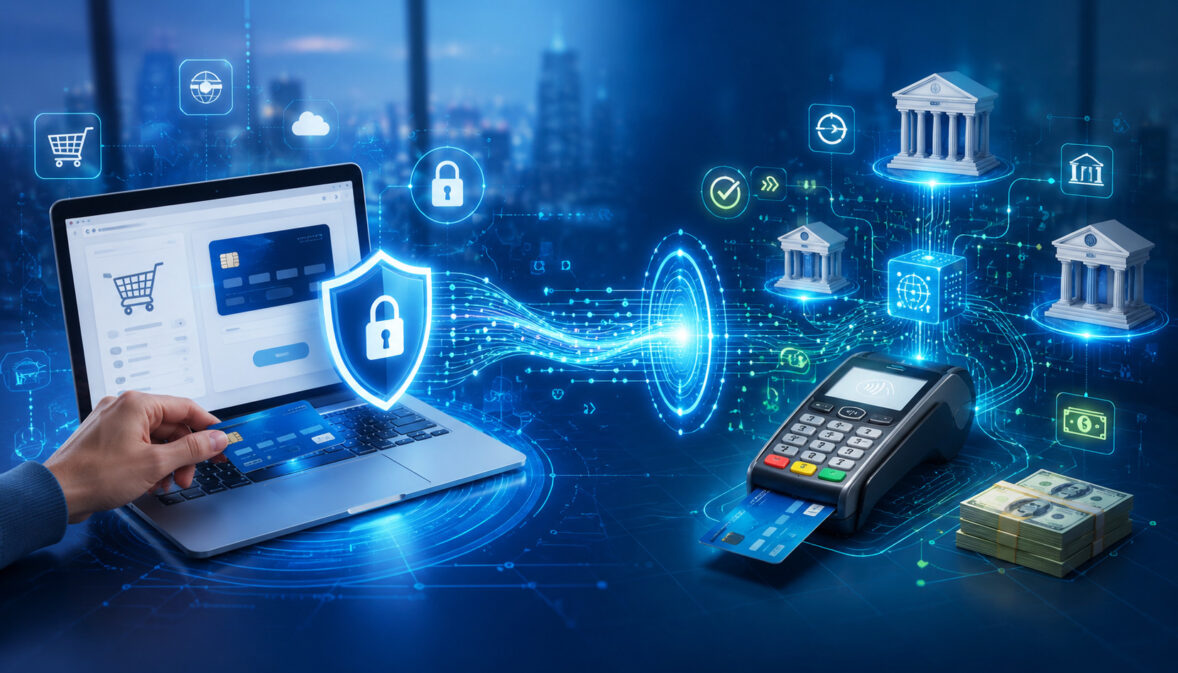
For many business owners, the terms “payment gateway” and “payment processor” sound interchangeable. Both are part of payment acceptance. Both help businesses take card payments.
Both are involved when a customer taps, dips, swipes, or enters payment details online. But they do different jobs, and understanding those jobs can help you choose better payment processing services, control costs, reduce checkout friction, and protect customer data.
The simplest way to understand payment gateway vs payment processor is this: a payment gateway securely collects and transmits payment details, while a payment processor helps move transaction information between the merchant, banks, and payment networks for authorization, clearing, and settlement.
That difference matters. An ecommerce seller needs a secure online payment gateway to accept payments through a website or app. A retail shop may rely more on a point-of-sale system, card reader, and card payment processor.
A service provider may use a virtual terminal. A subscription business may need recurring billing, tokenization, and account updater tools. A growing business may need both a gateway and processor working together.
This guide explains the payment gateway meaning, payment processor meaning, how each role fits into the transaction flow, where merchant accounts and banks come in, what fees to compare, and how these tools affect payment security, customer experience, reporting, and funding.
This article is for general educational purposes. Payment processing needs, costs, funding timelines, security responsibilities, rules, integrations, and risk requirements can vary by provider, business model, transaction type, merchant account setup, and risk profile.
What Is a Payment Gateway?
A payment gateway is the technology that securely captures payment information and sends it to the next party in the transaction flow. In an online transaction, the gateway is the digital bridge between the customer’s checkout page and the payment processor.
It helps move sensitive payment data from the customer to the processor without the merchant handling raw card information unnecessarily.
The payment gateway meaning is easiest to understand by thinking about an online checkout. A customer enters card details, billing information, and shipping information.
The gateway encrypts or securely transmits those details, often checks for basic fraud signals, and routes the transaction for authorization. The gateway does not usually move the money by itself. Instead, it passes the information to the processor, which communicates with banks and payment networks.
A payment gateway may support credit card processing, debit card payments, digital wallets, ACH payments, recurring billing, refunds, voids, and transaction reporting. Some gateways also provide tools such as hosted checkout, payment gateway API access, fraud filters, AVS, CVV checks, 3D Secure support, tokenization, and reporting dashboards.
For online businesses, the gateway is often one of the most visible parts of the payment experience. It affects how fast the checkout loads, whether the payment form looks trustworthy, which payment methods are accepted, and whether customers abandon the cart before finishing.
A gateway can also be used outside of traditional ecommerce. A service business may use a virtual terminal to key in payments. A billing department may use a secure payment link.
A nonprofit may accept donations through a hosted payment page. A business-to-business company may use a gateway for invoices, ACH payments, and stored payment credentials. For related reading on protecting payment data, see this guide to PCI compliance requirements.
Online checkout
Online checkout is one of the most common places where a payment gateway is used. When a customer buys from a website, the gateway collects payment details, applies security controls, and sends the transaction data forward.
Without a gateway or equivalent secure checkout technology, the business would need to build and maintain much more of the payment security environment on its own.
A strong ecommerce payment gateway should support a smooth checkout experience. That means mobile-friendly forms, clear error messages, fast authorization responses, and compatibility with common payment methods.
It should also handle declined transactions in a way that helps customers correct simple issues, such as an incorrect billing ZIP code or expired card.
The gateway can also influence fraud prevention. For example, AVS compares billing address details, CVV checks help confirm the customer has the card, and 3D Secure may add an extra authentication step for certain transactions. These tools do not eliminate fraud, but they can help businesses make more informed decisions.
Hosted payment pages
A hosted payment page is a checkout page managed by a gateway or payment technology provider. Instead of collecting cardholder data directly on the merchant’s website, the customer is redirected to or embedded within a secure payment page. This can reduce the amount of sensitive card data that touches the merchant’s systems.
Hosted checkout can be helpful for startups, small businesses, nonprofits, professional services firms, and ecommerce sellers that want to accept payments online without building a custom checkout from scratch.
It may also make PCI compliance easier because the provider manages more of the cardholder data environment. The merchant still has responsibilities, but the technical burden may be lower.
The tradeoff is control. A fully hosted page may offer fewer design and customization options than a custom payment gateway API integration. Businesses should review branding, mobile experience, supported payment types, redirect behavior, and reporting before choosing a hosted payment setup.
Payment gateway API
A payment gateway API allows developers to connect a website, app, billing platform, or custom software directly to gateway functions. Instead of using only a standard hosted page, the business can build a more tailored checkout experience while still relying on the gateway for secure payment transmission.
API-based setups are common for marketplaces, subscription platforms, software companies, service businesses with custom quoting, and businesses that need payment data to flow into accounting, order management, CRM, or ERP systems.
A gateway API may support authorization, capture, refunds, voids, saved payment methods, tokenization, recurring billing, and reporting.
The advantage is flexibility. The business can create a checkout experience that fits its workflow. The challenge is responsibility. Custom integrations must be built securely, tested carefully, and maintained as requirements change. Poor implementation can create security gaps, reconciliation issues, duplicate charges, or failed payments.
What Is a Payment Processor?
A payment processor is the company or platform that helps transmit transaction information between the merchant, acquiring bank, issuing bank, and payment network. The payment processor meaning is tied to the movement of transaction messages and the coordination needed to approve, clear, and settle payments.
When a customer pays with a card, the processor helps route the authorization request. The processor communicates with the acquiring side of the transaction, sends information through the appropriate payment network, and receives the response from the issuing bank.
If the transaction is approved, the processor helps support later steps such as capture, clearing, settlement, funding, refunds, and chargeback workflows.
A payment processor may also be called a credit card processor, card payment processor, merchant payment processor, or part of a broader merchant services relationship. The processor is usually connected to the merchant account or payment account that allows the business to accept card payments.
Processors do not all operate the same way. Some serve traditional merchant accounts. Some support aggregated payment models. Some specialize in ecommerce payments, in-person payments, mobile payments, high-volume processing, recurring billing, or business-to-business transactions.
Some processors connect with many gateways and POS systems, while others operate within a more closed payment environment.
A processor affects pricing, funding timelines, statement structure, chargeback management, transaction approval rates, reporting, payment reconciliation, and support. It may also determine which card brands, payment methods, currencies, equipment types, and integrations are available.
For a broader overview of the transaction process, this guide to how credit card processing works can provide helpful background.
Merchant accounts
A merchant account is an account relationship that allows a business to accept card payments and receive funds after transactions are settled. It is not the same as a regular business checking account. Instead, it is part of the payment acceptance structure that connects the merchant to card networks, acquiring banks, and processors.
In a traditional setup, the merchant account is underwritten based on the business type, processing volume, average ticket size, sales method, chargeback risk, refund policy, and other factors. This review helps determine whether the business can accept payments, what limits may apply, and what reserves or risk controls may be required.
Some all-in-one payment setups bundle processing and merchant account functionality together. This can be simpler for smaller businesses, but it may also come with less flexibility, fewer statement details, or different account review practices.
Businesses with higher volume, specialized needs, or complex risk profiles may prefer a more configurable merchant services setup.
Acquiring banks, issuing banks, and card networks
The payment processor works within a larger system. The acquiring bank is on the merchant side of the transaction. It helps enable the merchant to accept card payments. The issuing bank is on the customer side. It issues the payment card and decides whether the customer’s account can support the transaction.
The payment network connects the acquiring and issuing sides and provides the rules and message pathways that allow transaction requests and responses to move. The network helps route authorization messages, supports clearing, and sets rules that affect dispute handling, data standards, and transaction categories.
The processor helps these parties communicate. It does not simply “approve” every transaction on its own. The issuing bank typically makes the authorization decision based on available funds or credit, account status, fraud controls, card validity, and other risk signals.
Payment Gateway vs Payment Processor: The Main Difference
The core difference in payment gateway vs processor comparisons is function. A payment gateway is primarily the secure entry point for payment data. A payment processor is primarily the transaction-routing and processing engine that helps communicate with banks and networks.
A gateway is especially important when the customer is not physically presenting a card to a payment terminal. In ecommerce, the gateway replaces the physical card reader by securely collecting payment information through a website, app, invoice link, or virtual terminal. It helps transmit that information in a secure format to the processor.
A processor is needed to move the transaction through the payment ecosystem. Whether the payment starts online, at a countertop terminal, through a mobile card reader, or through a virtual terminal, the processor helps send the request for authorization and supports the later clearing and settlement process.
The payment gateway and payment processor often work together. In many setups, the merchant may not even notice where one begins and the other ends because the provider packages them together.
But they remain distinct roles. A gateway does not replace the processor, and a processor does not automatically provide the checkout interface, hosted payment page, API, or online fraud tools a business may need.
Here is a practical payment gateway comparison to clarify the difference:
| Feature | Payment Gateway | Payment Processor | What Businesses Should Know |
| Main role | Securely captures and transmits payment data | Routes transaction data between merchant, banks, and networks | Most online businesses need both roles covered |
| Common use | Online checkout, hosted payment pages, payment links, virtual terminals | Card authorization, capture, clearing, settlement, funding support | Processor function is needed for card acceptance |
| Customer visibility | Often visible during checkout | Usually invisible to the customer | Gateway quality affects checkout experience |
| Security tools | Encryption, tokenization, AVS, CVV, 3D Secure, hosted checkout | Risk controls, transaction routing, chargeback tools, compliance support | Security responsibilities still vary by setup |
| Fees | Gateway fees, monthly fees, per-transaction gateway fees, API or feature fees | Processor fees, interchange, assessments, markups, chargeback fees | Review both gateway and processor pricing |
| Hardware connection | May connect to virtual terminals or online systems | May connect to POS systems, terminals, and card readers | In-person setups may rely less on a separate gateway |
| Reporting | Gateway dashboard, transaction logs, payment method details | Settlement reports, batch reports, funding, disputes | Reconciliation may require both reports |
How a Card Payment Moves from Checkout to Settlement
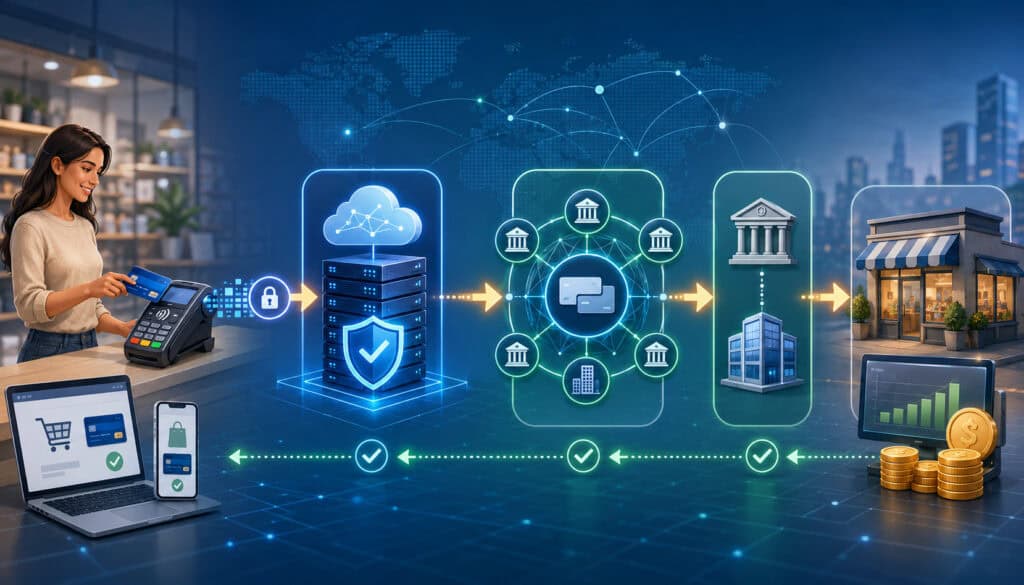
A card payment looks instant to the customer, but several steps happen behind the scenes. These steps include payment authorization, transaction approval or decline, payment capture, clearing, settlement, and funding. Refunds and chargebacks may happen later if the transaction is reversed or disputed.
Understanding this flow helps explain why payment gateway vs payment processor matters. The gateway handles the front-end collection and secure transmission of payment data. The processor helps move transaction messages through the financial network. Banks and card networks help determine approval, move funds, and enforce rules.
The exact timing can vary. An online authorization may happen in seconds, while settlement and funding may take longer. A batch may close at the end of the business day. Funds may appear in the merchant’s bank account based on the processor’s funding schedule, the acquiring arrangement, risk review, weekends, holidays, or transaction type.
Payment systems depend on clearing and settlement processes that coordinate obligations between financial institutions. The Federal Reserve describes payment systems as part of the broader infrastructure that supports the safe and efficient movement of money, while PCI security standards focus on protecting payment data across participating organizations.
Payment authorization
Payment authorization is the first major decision point. The customer submits payment details through an online payment gateway, card reader, POS system, mobile payment device, or virtual terminal. The transaction request travels through the processor and payment network to the issuing bank.
The issuing bank checks whether the card is valid, whether funds or credit are available, whether the account is in good standing, and whether the transaction appears risky. The issuing bank sends back an approval or decline response. That response returns through the network and processor to the merchant’s system.
An authorization does not always mean the merchant has received the money. It means the transaction has been approved for that amount at that moment. Some businesses authorize first and capture later, especially when shipping, tipping, order changes, deposits, or final totals are involved.
Payment capture
Payment capture is the step where the merchant confirms that an approved transaction should move forward for settlement. In many retail purchases, authorization and capture happen close together.
In ecommerce, the merchant may authorize the card when the order is placed and capture the payment when the order is ready to ship.
This distinction matters for businesses that have delayed fulfillment, variable totals, or preauthorization needs. A hotel, rental company, repair shop, or online seller may need to authorize one amount and capture a final amount later, depending on the business model and payment rules.
If a transaction is authorized but not captured within the allowed time, the authorization may expire. If a merchant captures incorrectly, it can create customer service issues, reconciliation problems, or disputes. A gateway and processor should make capture status easy to see in the reporting dashboard.
Clearing, settlement, and funding
Clearing is the process of exchanging and reconciling transaction details between the relevant parties. Settlement is the process where funds are transferred between financial institutions to satisfy the transaction obligations. Funding is the merchant-facing result, when money is deposited into the business bank account.
These steps are not always visible to the customer. The customer usually sees only an approved charge. The business, however, must track batches, settlement reports, processor fees, refunds, chargebacks, and deposits to reconcile payments accurately.
A processor’s reporting quality can make a major difference. Finance teams need to match orders, gateway records, settlement batches, fees, chargebacks, refunds, and bank deposits. Without reliable reporting, even a technically functional payment setup can create accounting headaches.
When a Business Needs a Payment Gateway
A business usually needs a payment gateway when it accepts payments where the card is not physically inserted, tapped, or swiped at a payment terminal. This includes ecommerce payments, online invoices, payment links, donation forms, digital subscriptions, app payments, and many keyed transactions.
An ecommerce payment gateway is especially important for online checkout. It provides the secure payment form or API connection that allows the customer to enter payment details. It may also help support digital wallets, stored cards, recurring billing, fraud screening, and customer authentication.
Service providers may need a gateway even if they do not run a traditional online store. For example, a consulting firm may email invoices with payment links. A medical office may accept balances through an online portal. A contractor may key in card payments through a virtual terminal. A membership organization may charge recurring dues.
A gateway is also helpful when the business wants payment data to flow into software. This may include accounting software, CRM platforms, ecommerce carts, booking tools, billing systems, or custom applications. In that case, the gateway API and integration options become important selection criteria.
Businesses should also consider how the gateway handles refunds, partial refunds, voids, duplicate transaction controls, failed payment retries, subscription updates, and customer receipts. These operational details affect support workload and customer satisfaction.
Virtual terminals
A virtual terminal allows a business to enter payment details manually through a secure web-based interface. It is commonly used for phone orders, mail orders, service invoices, deposits, and back-office billing. The customer is not using an online checkout page directly, but the gateway still helps process the keyed payment securely.
Virtual terminals are useful for professional services, repair businesses, wholesalers, event planners, medical offices, schools, and other organizations that accept payments remotely. They can reduce the need to store card information on paper or in unsecured systems.
Because keyed payments can carry higher risk and higher costs than card-present payments, businesses should use virtual terminals carefully. Staff should verify billing details, follow internal authorization procedures, use AVS and CVV when available, and avoid storing sensitive card data outside approved systems.
Recurring billing and subscription payments
Subscription businesses often need gateway features beyond basic checkout. Recurring billing may require stored payment tokens, automated billing schedules, failed payment retries, expiration updates, customer notifications, plan changes, prorations, and cancellation workflows.
Tokenization is especially important. Instead of storing the full card number, the system stores a token that represents the payment credential. This can reduce exposure if systems are compromised and can make future billing easier. The gateway, processor, or integrated billing platform may manage the token depending on the setup.
Recurring billing also affects customer experience. Failed payment emails, retry timing, account updates, and cancellation handling can influence retention. Businesses should review how their gateway and processor support subscription payments before choosing a payment setup.
When a Business Needs a Payment Processor
A business needs a payment processor when it wants to accept card payments and have those transactions routed for authorization, clearing, settlement, and funding. The processor is not optional in card acceptance. Even if the business uses a gateway, POS system, mobile reader, or ecommerce platform, processing must happen behind the scenes.
Retailers, restaurants, service providers, ecommerce stores, mobile businesses, and business-to-business merchants all need processor functionality. The form may differ. A retail shop may connect a countertop terminal to a processor.
A restaurant may connect a POS system. An online store may connect its ecommerce payment gateway. A mobile vendor may use a wireless card reader.
A processor can influence approval performance, funding speed, chargeback workflows, reporting detail, account stability, and overall cost. Businesses should compare not only advertised transaction rates but also statement transparency, interchange categories, monthly fees, risk policies, support quality, and integration compatibility.
The processor is also important for refunds and chargebacks. A refund returns money to the cardholder after a transaction has been captured and settled. A chargeback is a dispute initiated through the issuing bank and governed by network rules.
A processor’s tools can help merchants view, respond to, and track disputes, but outcomes depend on evidence, rules, timing, and the facts of the case.
For businesses evaluating in-person hardware, this guide on how credit card machines work explains the role of terminals and card readers in card-present payments.
Card readers and payment terminals
A card reader or payment terminal captures card data in person. The customer may dip a chip card, tap a contactless card, use a digital wallet, or swipe a magnetic stripe when permitted. The device securely reads the payment credential and sends the transaction through the processor connection.
In this setting, the card reader plays a role similar to the gateway’s front-end role in ecommerce. It captures payment data securely at the point of sale. However, many in-person businesses do not think of this as a “gateway” because the payment terminal and processor connection are part of the physical POS environment.
Card-present transactions often have different risk and pricing characteristics than keyed or online transactions. That is because chip, contactless, and properly configured terminal transactions provide stronger evidence that the card or wallet was present at checkout.
Point-of-sale systems
A point-of-sale system is broader than a card reader. It may include register software, inventory tools, menus, employee permissions, receipts, taxes, tips, discounts, customer profiles, and reporting. The POS system records the sale, while the payment terminal or integrated processor handles the payment portion.
A POS system may connect directly to a processor, connect through a gateway-like integration, or operate within a bundled payment environment. Retail stores, restaurants, salons, repair shops, and service counters often depend on POS integrations for fast checkout and accurate reporting.
When comparing payment tools, businesses should not confuse POS software with the processor. A POS can manage the sale, but a processor still handles transaction routing and funding. A POS can also affect customer experience through checkout speed, receipt options, tip prompts, and payment method support.
Online, In-Person, Mobile, and Recurring Payment Use Cases
Different business models use gateways and processors differently. There is no single best setup for every merchant. The right choice depends on where customers pay, how transactions are entered, how often payments repeat, which systems must integrate, and how much control the business needs.
An online seller usually needs both a payment gateway and payment processor. The gateway supports online checkout and secure data transmission. The processor handles authorization, settlement, and funding.
A retailer may use a POS system and processor without thinking much about a separate gateway. A mobile business may need a card reader, mobile app, and processor connection. A subscription business may need gateway tokenization, recurring billing, and processor support.
A business-to-business company may need ACH payments, stored payment methods, invoice links, Level 2 or Level 3 data support, and detailed reconciliation. A restaurant may need tableside payments, tips, tabs, adjustments, and batch settlement. A professional service firm may need virtual terminal access and secure payment links rather than a full shopping cart.
The best payment setup is the one that fits the actual payment workflow. Choosing based only on a low advertised rate can lead to integration gaps, poor reporting, slow checkout, or avoidable manual work. For mobile acceptance considerations, see this guide to accepting mobile payments in a business.
Ecommerce payments
Ecommerce payments usually depend heavily on the gateway. The gateway must connect with the shopping cart, product catalog, tax system, shipping rules, order management platform, and customer communication tools. It should support secure online checkout and help reduce friction across desktop and mobile devices.
An ecommerce payment gateway should also provide useful controls for declined transactions, fraud review, refunds, partial captures, and order status synchronization. If the gateway approves a payment but the ecommerce platform fails to record the order properly, the business may have to reconcile manually.
Ecommerce sellers should test the full checkout flow before going live. That includes successful payments, declines, address mismatches, duplicate clicks, refunds, abandoned carts, confirmation emails, and mobile wallet payments.
In-person payments
In-person businesses may rely more on terminals, POS systems, and card readers than on a separately managed gateway. A customer presents a card or digital wallet, the terminal captures the payment credential, and the processor routes the transaction.
Retailers, restaurants, convenience stores, salons, repair shops, and local service counters should evaluate hardware reliability, connection methods, receipt options, tip support, offline mode, inventory integration, and settlement reporting. The processor and POS setup should match the pace of the business.
For example, a quick-service business may care most about speed, contactless payments, and line management. A professional office may care more about invoice matching and customer records. A retailer may need barcode scanning, returns, and inventory reporting.
Mobile payments
Mobile payments can mean several things. It may refer to customers paying with digital wallets. It may refer to businesses accepting cards through a mobile card reader. It may also refer to payment links opened on a phone.
A mobile service provider, food truck, delivery business, tradesperson, or event vendor may need a portable card reader connected to a mobile app. The processor handles transaction routing, while the mobile app and reader capture payment details. If invoices or payment links are used, a gateway may also be involved.
Mobile setups should be tested for connectivity, battery life, receipt delivery, tip prompts, taxes, refunds, and end-of-day reporting. A low-cost reader may be enough for occasional transactions, but higher-volume mobile businesses often need stronger reporting and support.
Security, PCI Compliance, Tokenization, and Fraud Prevention
Security is one of the biggest reasons businesses need to understand the payment gateway and payment processor relationship. Payment data is sensitive, and every system that stores, processes, or transmits cardholder data can affect compliance responsibilities.
PCI DSS is the payment card industry security standard for organizations that handle cardholder data. The PCI Security Standards Council provides resources and standards focused on protecting payment data across the payment ecosystem.
A gateway or processor can help reduce certain risks, but using a provider does not remove all merchant responsibilities.
A secure payment setup may include encryption, tokenization, hosted checkout, secure APIs, fraud screening, access controls, employee permissions, logging, and regular review. The exact responsibilities depend on whether the business uses a hosted page, embedded checkout, custom API, POS system, virtual terminal, or stored payment method setup.
Fraud prevention also requires balance. Too little screening can increase fraud and chargebacks. Too much friction can block legitimate customers or reduce conversion. Businesses should tune fraud rules based on transaction type, average ticket size, customer location patterns, fulfillment speed, and chargeback history.
Tokenization
Tokenization replaces sensitive payment data with a non-sensitive token. The token can be used for future transactions, refunds, recurring billing, or customer profiles without exposing the full card number to every connected system.
For example, a customer may save a card for future purchases. Instead of storing the card number in the merchant’s database, the system stores a token. The gateway, processor, or token vault maps that token to the actual payment credential in a secure environment.
Tokenization is especially useful for subscription payments, account-based ecommerce, memberships, and invoicing. It can reduce data exposure and simplify repeat purchases. However, businesses should understand who owns or controls the tokens and what happens if they migrate to another gateway or processor.
Encryption
Encryption protects payment data by making it unreadable to unauthorized parties during transmission or storage. In payment acceptance, encryption may be used when card data moves from a checkout page, card reader, POS system, gateway, or processor connection.
Encryption is not the same as tokenization. Encryption protects data by transforming it with cryptographic methods. Tokenization replaces the data with a substitute value. Many secure payment environments use both.
Businesses should avoid collecting card information through unsecured forms, email, spreadsheets, chat messages, or paper notes. Even if a processor is secure, unsafe internal handling can create unnecessary exposure.
Fraud screening
Fraud screening tools help identify transactions that may require review. Common tools include AVS, CVV checks, velocity filters, device signals, IP checks, transaction amount thresholds, and 3D Secure. Some gateways allow merchants to set rules that automatically approve, decline, or hold transactions for review.
AVS checks whether billing address details match issuer records. CVV helps confirm the customer has access to the card. 3D Secure can add an authentication step for some online card payments. These tools are helpful, but they are not guarantees.
Businesses should also use operational controls. Clear refund policies, shipping confirmation, delivery tracking, customer communication, and accurate product descriptions can reduce disputes. Fraud tools work best when paired with good business practices.
Fees, Pricing, and Cost Differences to Understand
Payment costs can include gateway fees, processor fees, interchange fees, assessment fees, monthly fees, transaction fees, chargeback fees, PCI-related fees, equipment costs, and software fees. Some costs are charged by the processor, some by the gateway, and some come from card network or issuing-side economics.
Interchange is typically tied to the card type, transaction method, merchant category, risk level, and data quality. Assessment fees are connected to payment networks. Processor markups are the processor’s pricing layer. Gateway fees may be monthly, per transaction, per batch, per feature, or included in a bundled plan.
A business comparing payment gateway vs payment processor costs should ask for a complete pricing picture. A gateway with a low monthly cost may have higher per-transaction fees.
A processor with a low advertised rate may include additional monthly, minimum, PCI, statement, batch, or chargeback fees. Equipment may be purchased, leased, included, or tied to contract terms.
Pricing models may include flat-rate pricing, interchange-plus pricing, tiered pricing, subscription-style pricing, or custom pricing.
Each model has tradeoffs. Flat-rate pricing can be simple, while interchange-plus may be more transparent for businesses that want detailed statement review. Tiered pricing can be harder to evaluate because transaction categories may be grouped. For more background, see this guide to credit card processing fees and rates.
Gateway fees
Gateway fees are charges for using the payment gateway technology. These may include monthly gateway access fees, per-transaction gateway fees, setup fees, API access fees, fraud tool fees, recurring billing fees, tokenization fees, or payment page fees.
Some businesses pay gateway fees directly. Others see them bundled into processing costs. Bundling can make billing easier, but it can also make it harder to know what you are paying for. Businesses should ask whether gateway fees are separate, included, waived under certain conditions, or charged by transaction volume.
A gateway fee may be worth paying if the gateway improves checkout, reduces manual work, supports key integrations, or provides useful fraud tools. The goal is not always to find the cheapest gateway. The goal is to find the right value for the business model.
Processor fees
Processor fees are the costs associated with transaction routing, merchant account support, settlement, reporting, chargeback tools, and related payment processing services. These fees may be charged as a percentage, a per-transaction amount, a monthly fee, or a combination.
Processor statements can be complex. Businesses should review effective rate, transaction counts, card mix, refund costs, chargeback fees, batch fees, monthly minimums, PCI-related fees, and equipment costs.
The effective rate is the total processing cost divided by total card volume, but it should be interpreted carefully because card mix and transaction method can vary.
A processor’s value is not only price. Funding reliability, support responsiveness, integration compatibility, reporting clarity, chargeback workflows, and risk communication can all affect the real cost of payment acceptance.
Equipment and software costs
In-person businesses may have equipment costs for countertop terminals, PIN pads, receipt printers, cash drawers, barcode scanners, tablets, mobile readers, or full POS systems. Online businesses may have software costs for ecommerce platforms, gateway plugins, subscription billing tools, fraud tools, or custom development.
Equipment can be purchased, rented, leased, or bundled. Businesses should review ownership terms, replacement policies, compatibility, warranty coverage, and cancellation obligations. A cheap device that cannot integrate with your processor or POS can become expensive quickly.
Software costs should also be reviewed alongside payment fees. A gateway that saves hours of reconciliation time may be worth more than a slightly cheaper option that requires manual exports and spreadsheet cleanup.
How Gateways and Processors Affect Customer Experience
Customers may never hear the words payment gateway and payment processor, but they feel the impact of both. A slow checkout, confusing decline message, missing wallet option, failed subscription payment, duplicate charge, or delayed refund can damage trust.
The gateway affects the front-end experience. It influences payment form design, mobile responsiveness, load speed, wallet support, error handling, and the number of steps required to complete payment. A gateway that feels clunky or unfamiliar can increase cart abandonment.
The processor affects back-end reliability. Authorization response speed, approval performance, funding consistency, and refund handling all influence the customer relationship. If transactions fail too often or refunds are hard to process, customers may blame the business, not the processor.
Customer experience also depends on the match between payment method and business model. A restaurant may need fast tap-to-pay checkout and tip adjustment. An ecommerce store may need digital wallets and saved cards. A service provider may need invoice links. A subscription business may need automatic retries and card update tools.
Reporting also affects experience indirectly. If staff cannot quickly find a payment, refund, or failed transaction, customer support slows down. Clear dashboards and searchable transaction records help businesses respond confidently.
Common Mistakes Businesses Make When Comparing Payment Tools
One common mistake is comparing only the advertised rate. Payment costs include more than a headline percentage. Gateway fees, processor markups, interchange, assessments, monthly fees, chargeback fees, equipment costs, and software fees can all affect the total cost.
Another mistake is assuming every all-in-one provider, processor, and gateway works the same way. Some setups are easy to start but limited in customization. Others offer more control but require more technical setup. Some are strong for ecommerce but weak for in-person payments. Others are strong for retail but limited for subscriptions or online checkout.
Businesses also sometimes confuse the gateway, processor, POS system, card reader, and merchant account. This can lead to compatibility problems. A gateway may not connect to a preferred processor. A POS system may require specific hardware. A processor may not support the ecommerce platform the business wants to use.
Security assumptions can create problems too. A hosted checkout may reduce some compliance scope, but the merchant still has responsibilities. A secure processor does not make it safe to collect card numbers by email. A fraud filter does not guarantee that chargebacks will not happen.
Businesses may also overlook reporting. A payment setup should make it easy to reconcile sales, refunds, voids, chargebacks, deposits, and fees. If reports are incomplete or spread across too many systems, finance teams may spend unnecessary time matching transactions manually.
Before signing up, businesses should ask practical questions:
- Which gateway, processor, merchant account, and bank relationships are involved?
- Are gateway fees separate or bundled?
- Which ecommerce platforms, POS systems, and accounting tools are supported?
- How are refunds, voids, and chargebacks handled?
- What security responsibilities remain with the merchant?
- How detailed are settlement and funding reports?
- What happens if the business changes providers later?
Payment Gateway vs Payment Processor Checklist
Choosing between gateway options, processor options, or bundled payment setups is easier when you start with your business model. A retail store, ecommerce seller, mobile service provider, subscription business, and B2B company may all need different combinations of tools.
Use this checklist to clarify what you need before comparing providers.
Payment acceptance needs
Start by listing where and how customers pay. Do they pay online, in person, over the phone, through invoices, on mobile devices, by subscription, or through saved payment methods? Do they use credit cards, debit cards, ACH payments, digital wallets, or contactless payments?
If customers pay online, you likely need an online payment gateway or equivalent checkout technology. If customers pay in person, you need terminals, card readers, or a POS system connected to a processor. If customers pay invoices, you may need payment links, virtual terminal access, and recurring billing.
Also consider transaction volume, average ticket size, refund frequency, chargeback history, and seasonal patterns. These details can affect pricing, risk review, equipment needs, and reporting requirements.
Integration and workflow needs
Next, review the systems your payment setup must connect with. This may include ecommerce software, accounting tools, inventory systems, booking platforms, CRM software, membership platforms, billing software, or custom applications.
A payment gateway API may be important if you need a custom checkout or software integration. A hosted page may be enough if you want a simpler setup. A POS integration may matter most if you run a physical location.
Ask whether payment data flows automatically into the systems your team already uses. Manual exports may be acceptable for a small business with low volume, but they can become a problem as transaction counts grow.
Security and compliance needs
Review how payment data is captured, transmitted, stored, and accessed. Determine whether the business will use hosted checkout, embedded checkout, custom API integration, a virtual terminal, POS hardware, or mobile readers.
Ask what PCI DSS validation steps apply to your setup. The PCI Security Standards Council’s resources can help businesses understand payment data security responsibilities. Also ask what security tools are available, including encryption, tokenization, AVS, CVV, 3D Secure, user permissions, audit logs, and fraud filters.
Security should be reviewed as an ongoing process, not a one-time setup task. Staff training, access controls, software updates, and vendor reviews matter.
Pricing and reporting needs
Ask for a sample statement or pricing breakdown before committing. Review gateway fees, processor fees, interchange, assessments, monthly fees, transaction fees, chargeback fees, PCI-related fees, batch fees, minimums, and equipment costs.
Then review reporting. Can you easily see authorizations, captures, refunds, voids, chargebacks, settlement batches, funding deposits, and fees? Can reports be exported? Can your accounting team reconcile deposits without excessive manual work?
A payment setup that is slightly cheaper but hard to reconcile may cost more in staff time. A setup that is easy to understand and audit can support better decision-making.
What is the difference between a payment gateway and a payment processor?
A payment gateway securely collects and transmits payment information, especially for online checkout, payment links, virtual terminals, and app-based payments.
A payment processor helps route transaction data between the merchant, acquiring bank, issuing bank, and payment network for authorization, clearing, settlement, and funding.
In simple terms, the gateway is the secure front-end connection for payment data, while the processor is the back-end transaction engine that helps move the payment through the financial system.
Do businesses need both a payment gateway and payment processor?
Many businesses need both, especially if they accept ecommerce payments. The gateway handles the online checkout or digital payment entry point, while the processor handles authorization and settlement support.
Some in-person businesses may not use a separately managed gateway because their POS system or terminal connects directly to processing. Some all-in-one setups bundle gateway and processor functions together, making the distinction less visible to the merchant.
Is a payment gateway only for online payments?
A payment gateway is most commonly associated with online payments, but it is not limited to ecommerce. Gateways may also support virtual terminals, payment links, invoice payments, recurring billing, mobile payments, and secure API integrations.
If a business accepts payments without a physical card reader, a gateway or gateway-like tool is often part of the setup.
What does a payment processor do?
A payment processor helps transmit transaction information between the merchant, banks, and payment networks. It supports authorization requests, approval and decline responses, capture, clearing, settlement, funding, refunds, and chargeback workflows.
The processor may also provide reporting, risk tools, merchant account support, equipment connections, and statement details. It is a key part of card payment acceptance.
How do payment gateways help with security?
Payment gateways help with security by transmitting payment data through secure systems. Many gateways support encryption, tokenization, hosted checkout, AVS, CVV checks, 3D Secure, fraud filters, and user access controls.
A gateway can reduce the amount of sensitive data the merchant handles directly, especially when using hosted checkout or tokenized stored payments. However, merchants still need to follow applicable PCI compliance practices and internal security controls.
What fees should businesses compare?
Businesses should compare gateway fees, processor fees, interchange fees, assessment fees, monthly fees, transaction fees, chargeback fees, PCI-related fees, batch fees, minimums, equipment costs, software fees, and integration costs.
It is also helpful to compare the effective rate, but that number should be reviewed in context. Transaction type, card mix, average ticket, sales channel, and risk profile can all affect costs.
Can one provider offer both gateway and processing services?
Yes. Many payment setups combine gateway and processor services in one package. This can simplify setup, billing, support, and reporting. It may be a good fit for businesses that want fewer vendor relationships and a faster launch.
However, bundled setups are not always the best fit for every business. Some merchants prefer separate gateway and processor relationships for flexibility, pricing transparency, specific integrations, or more control over the payment stack.
How should a business choose the right payment setup?
A business should start with its payment channels, customer experience needs, integration requirements, security responsibilities, reporting needs, and cost structure.
Online sellers should focus on checkout, gateway compatibility, fraud tools, and ecommerce integrations. In-person businesses should focus on POS systems, card readers, terminal reliability, and processor compatibility.
The best setup should support the way the business actually accepts payments, not just the lowest advertised rate. It should be secure, understandable, scalable, and practical for daily operations.
Conclusion
The difference between a payment gateway and payment processor is more than terminology. It affects how customers pay, how transactions are routed, how sensitive data is protected, how fees appear on statements, how refunds and chargebacks are managed, and how easily the business can reconcile payments.
A payment gateway securely collects and transmits payment data. It is especially important for online checkout, hosted payment pages, virtual terminals, payment links, payment gateway API integrations, recurring billing, and fraud screening.
A payment processor helps move transaction information between the merchant, acquiring bank, issuing bank, and payment network for authorization, capture, clearing, settlement, and funding.
Many businesses need both. Ecommerce sellers usually need a gateway and processor working together. Retailers may rely more on POS systems, card readers, and processor connections.
Mobile businesses may need portable hardware and app-based payment acceptance. Subscription businesses may need tokenization, recurring billing, and failed payment management. Service providers may need payment links and virtual terminals.
The right choice depends on your business model, payment channels, transaction volume, risk profile, software integrations, security responsibilities, reporting needs, and pricing structure.
Before choosing a payment setup, review the full transaction flow, ask how fees are charged, confirm system compatibility, test the customer experience, and understand who handles each part of security and support.
A clear understanding of payment gateway vs payment processor helps business owners and finance teams make better decisions. It also helps avoid unnecessary costs, integration problems, checkout friction, and reporting confusion.
When the gateway, processor, merchant account, POS system, and reporting tools work together properly, payment acceptance becomes easier to manage and more reliable for both the business and its customers.